Request a gift voucher
A bespoke creation or a tailoring course at Atelier Daniel is always the right gift
Simply select a design and the value, then send your request by e-mail or WhatsApp. The name of the recipient is optional. The value stated on the voucher is also optional (please see the further notes on this).
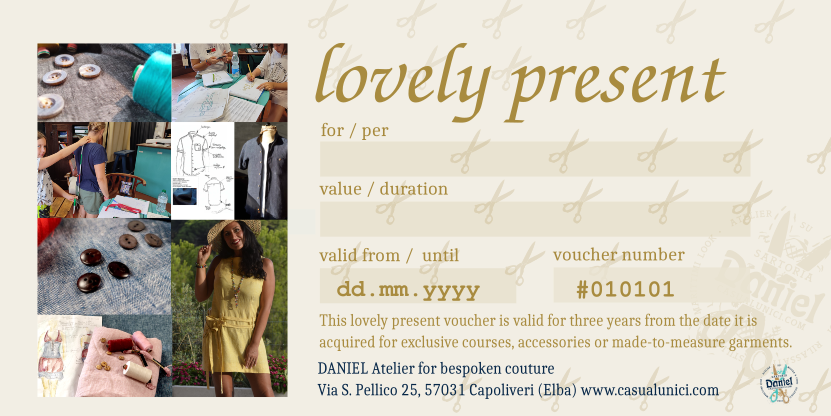
Since gift vouchers are often a present and the recipient should not find out what it cost, you can state the purpose instead of the amount, e.g. tailoring holiday course, or a specific garment, e.g. a ladies' dress. The scope is agreed upon in advance and the amount is treated discreetly.
Guide values for orientation: accessories from 80,-, group courses from 375,- per participant, individual coaching min. 1/2 day 280,-, individual workshop 3 days 1,630,-. For made-to-measure clothing you will find guide values in the configurator. Configuratore / Corsi
Payment easy and fast via Paypal or IBAN.
Step 2: Your details
Please enter your details as well as the information for the gift card recipient.
Step 3: Summary
- Design
- –
- Card value
- –
- Dedication
- –
- Donor
- –
- –
- Telephone
- –
- Recipient
- –
Step 4: Submit
Please check your details. You can take a screenshot and send it to us via WhatsApp or e-mail.
Choose how you would like to request the gift card
Here is what happens next: After receiving our confirmation of receipt, it is best to transfer the card value immediately – conveniently via instant transfer to our IBAN. As soon as we have received the card value, we will send you the digital gift card. In particularly urgent cases, please notify us of your payment by telephone, WhatsApp or e-mail. Tip: It is best to take a screenshot now (in case all technical options fail).
Questions? Write to us at: …
Tip: Take a screenshot and insert the image into WhatsApp/e-mail.


